Automated SEO Reports: Build a Weekly Site Audit in n8n (Free)
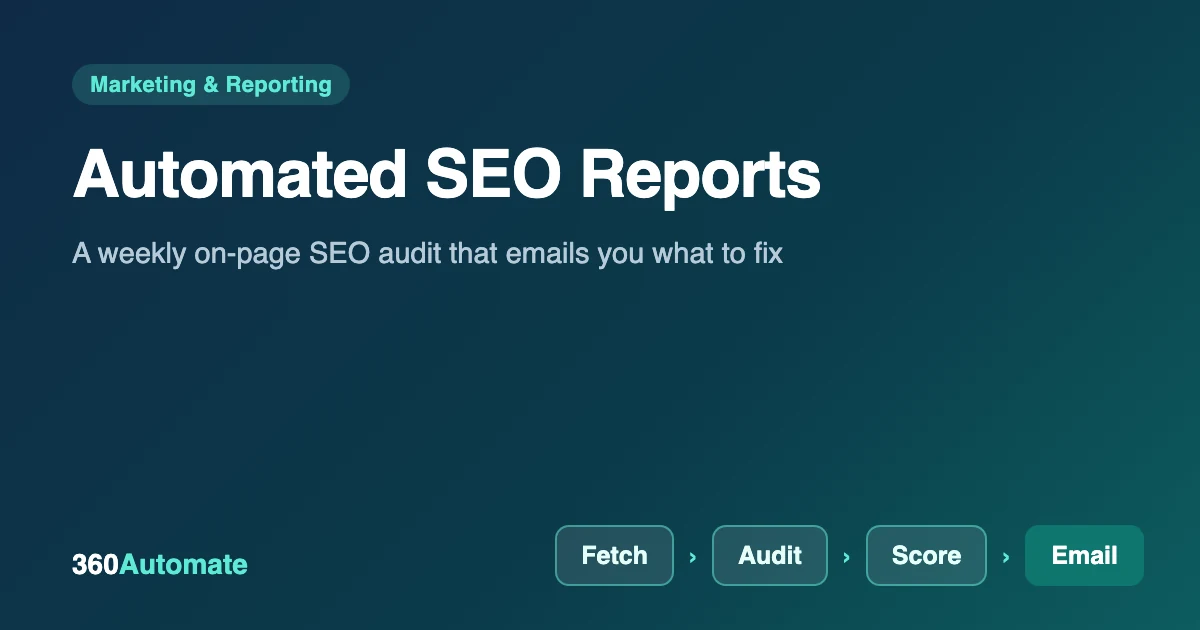
An automated SEO report is a scheduled check that inspects your pages for common on-page problems and emails you the results, so you fix issues before they cost you traffic. Paid tools do this too, but a basic version takes about 45 minutes to build in n8n and the software costs nothing. Below we build a weekly audit that scores each page from 0 to 100 and lists exactly what to fix, tested on four real URLs.
Key takeaways
- The report checks eight things per page: HTTP status, title, meta description, H1 headings, canonical URL, noindex, image alt text and content length.
- Each page gets a 0–100 score, and the email lists the worst pages first.
- It runs weekly by schedule or on demand through a webhook.
- It reads the HTML your server returns, so it complements, but does not replace, Google Search Console.
- You can extend it with Search Console, PageSpeed or Sheets later.
What should an automated SEO report include?
Ranking and traffic data come from tools such as Search Console, but many costly mistakes are visible in the page itself. A useful first report checks the basics that Google’s own documentation covers, such as title links and snippets. Our checks and penalties are:
| Check | Why it matters | Penalty |
|---|---|---|
| HTTP status not 200 | Broken pages lose visitors and rankings | −50 |
| Noindex tag present | The page is hidden from search results | −30 |
| Missing title | Search results have nothing meaningful to show | −20 |
| Missing meta description | You lose control of the snippet | −15 |
| H1 count is not exactly one | Unclear main topic | −10 |
| Thin content (under 300 words) | Little for search engines or readers to use | −10 |
| Images without alt text | Lost accessibility and image-search value | −2 each, max 10 |
| Title over 60 or under 30 characters; description over 160 | Long titles and descriptions get cut off in results | −5 |
| No canonical URL | Duplicate versions can compete | −5 |
The numbers are ours, not Google’s. Treat length limits as guidelines: Google rewrites titles and descriptions when it thinks another version serves the searcher better.
What belongs in a complete SEO report
A full report combines page health, which we automate below, with performance data. Keep it to metrics someone will act on:
| Metric | What it tells you | Typical source |
|---|---|---|
| Organic clicks and impressions | Visibility and demand | Search Console |
| Average position and click-through rate | Whether your titles and snippets earn clicks | Search Console |
| Top pages and queries | What is working and where to do more | Search Console |
| Organic sessions and conversions | Business impact | Google Analytics 4 |
| Branded vs non-branded queries | Existing brand demand vs new discovery | Search Console query filters |
| Technical health score | Errors that block or hurt pages | The n8n audit below, or a crawler |
| Page speed | Experience for visitors | PageSpeed Insights |
| Notes | Context such as launches, updates or outages | You |
Search Console and Analytics data arrives with a delay of a day or more, so schedule performance reports a few days after the period ends and avoid comparing partial days.
Build the report in n8n, step by step
You need n8n and an SMTP account (we used Mailpit as a test inbox). Download the workflow (JSON), import it, and choose your own SMTP credential.

What does it cost to run? The software is free: self-hosted n8n may be used at no charge for internal business and personal use under its Sustainable Use License. What you pay for is somewhere to run it. A schedule only fires while n8n is running, so you need a computer or server that stays on. Sending email needs an SMTP account (many providers have a free tier), and n8n Cloud is a paid alternative if you prefer not to host it yourself. The page fetches only your own pages, so there is no per-page fee, but keep the request rate polite on large sites.
Step 1: Choose your triggers and page list
Add a Webhook (POST, path seo-report) so you can run the audit on demand, and a Schedule Trigger for every Monday at 8 a.m. Both feed a Code node called Pages to check. It uses the URLs sent in the request, or a default list you edit at the top of the node.
const DEFAULT_URLS = [
  'https://example.com/',
  'https://example.com/pricing/',
];
const body = ($input.first().json && $input.first().json.body) || {};
const urls = Array.isArray(body.urls) && body.urls.length ? body.urls : DEFAULT_URLS;
return urls.map(url => ({ json: { url } }));
Step 2: Fetch each page
Add an HTTP Request node with the URL set to {{ $json.url }}. Under Options, turn on Include full response and Never error, and set the response format to Text. “Never error” matters: without it, a 404 would stop the whole run instead of being reported as a problem.
Step 3: Audit each page
Add a Code node (run once for all items). For every fetched page it reads the status code and HTML, applies the checks in the table above, subtracts penalties from 100 and records each issue in plain English.
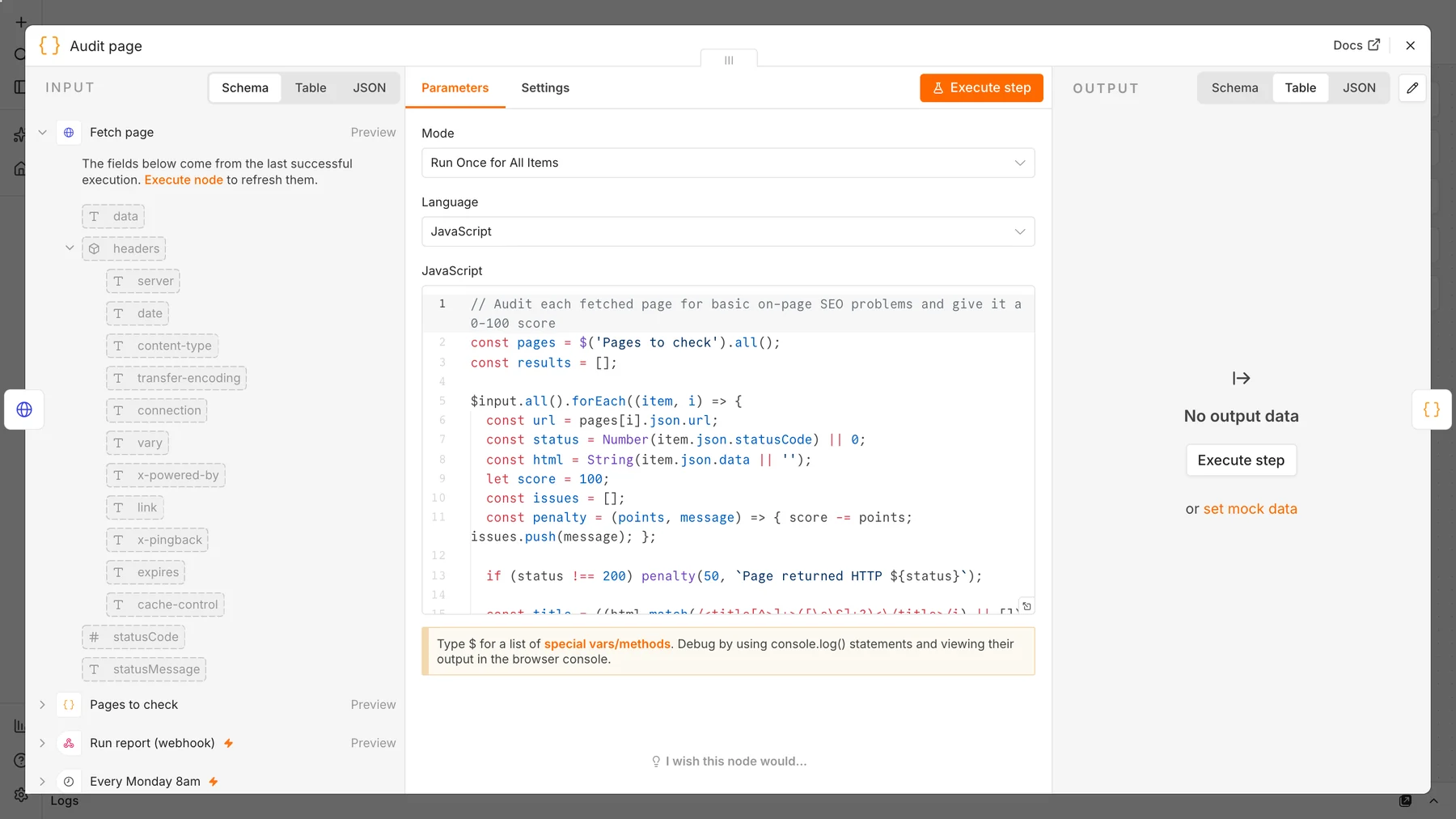
The full audit code is in the downloadable workflow. The key idea is small: every check is one line that reduces the score and adds a message, for example:
if (!desc) penalty(15, 'Missing meta description');
else if (desc.length > 160) penalty(5, `Meta description is ${desc.length} characters`);
const h1s = (html.match(/<h1[\s>]/gi) || []).length;
if (h1s !== 1) penalty(10, `Found ${h1s} H1 headings (should be exactly 1)`);
Step 4: Build and email the report
A final Code node sorts pages from worst to best, calculates the average and writes an HTML table. A Send Email node (format: HTML) delivers it with a subject such as SEO report: 4 pages, average 69/100, 2 need attention.
Step 5: Test with real URLs
We published the workflow and posted four URLs: our two articles, our unfinished homepage and a page that does not exist:
curl -X POST http://localhost:5678/webhook/seo-report -H 'Content-Type: application/json' \
  -d '{"urls":["http://360automate.net/sales-automation/how-to-generate-sales-leads/",
              "http://360automate.net/sales-automation/automated-lead-follow-up-system/",
              "http://360automate.net/",
"http://360automate.net/does-not-exist/%22]%7D'| Page | Score | What the report found |
|---|---|---|
| Guide 1 (finished article) | 100 | No issues |
| Guide 2 (finished article) | 100 | No issues |
| Homepage (unfinished) | 75 | 70-character title, no H1, only 214 words |
| Missing page | 0 | HTTP 404, short title, no meta description, no canonical, noindex |
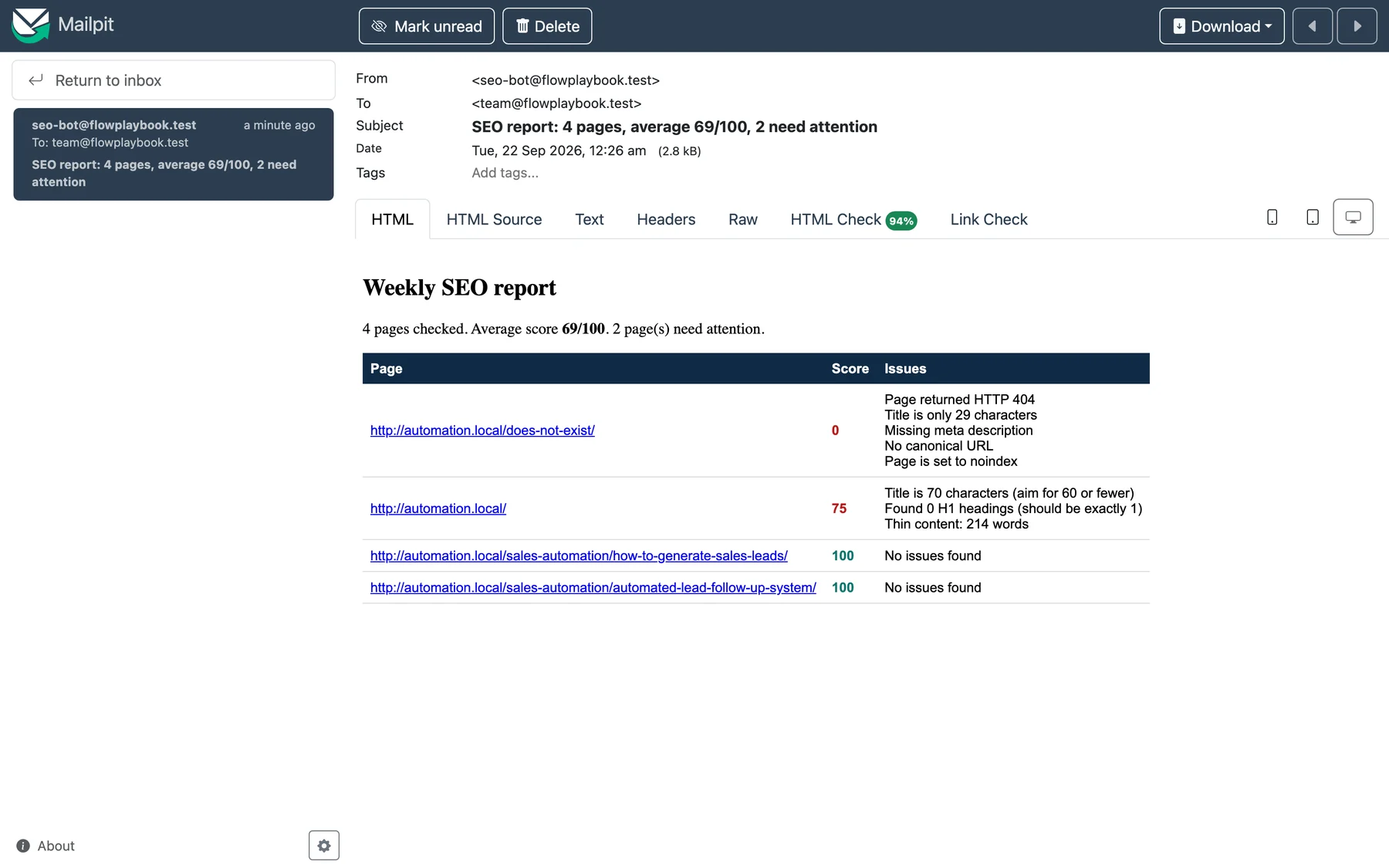
The report did its job: it confirmed our finished pages were clean and immediately flagged the homepage we still need to build.
Make it better
- Add Search Console data. Pull clicks, impressions and average position for each page with the Search Console API and add them to the report.
- Add speed checks. Call Google’s PageSpeed Insights API for public URLs and include the performance score.
- Keep history. Append each week’s scores to Google Sheets or a database so you can chart trends.
- Alert on regressions. Send a Slack message only when a score drops or a page starts returning an error.
- Crawl your sitemap. Read your XML sitemap in the first node instead of typing URLs by hand.
Limits to know: the audit reads the HTML the server returns, so content added by JavaScript after loading is not seen. Only audit sites you own or have permission to test, keep the list small and respect robots.txt. Rankings and backlinks need other tools.
Which tool for which job
Different reporting jobs need different tools. n8n is best as the glue that runs checks and delivers alerts:
| Job | Best fit | Cost |
|---|---|---|
| Weekly page-health alerts and custom checks | The n8n audit in this guide | Free (self-hosted) |
| Visual dashboards from Search Console and GA4 | Looker Studio, which has free connectors for both | Free |
| Client-ready branded reports across many sites | A paid reporting platform | Paid |
| Rank tracking and backlink data | A paid SEO suite | Paid |
Common mistakes with automated SEO reports
- Tracking too many metrics. A report with 40 numbers gets ignored. Start with five to eight.
- No action items. A report should say what to fix first, which is why ours lists issues per page and sorts the worst first.
- No context. Add notes for launches, migrations and updates, or a traffic dip will look like a mystery.
- Trusting one number. An average score can hide one broken money page. Read the per-page rows.
- Sending it to the wrong audience. Developers want issues, managers want trends, clients want outcomes. Make one version for each.
Automate the reports that repeat and stay boring first: page health, top pages and queries, and traffic trends. Keep strategy commentary human.
How to use the report each week
- Fix status errors and noindex tags first. They remove pages from search entirely.
- Then fix missing titles, descriptions and H1s on your highest-value pages.
- Batch the smaller items (alt text, length trims) into a monthly cleanup.
- Re-run on demand after big changes: send a POST to the webhook.
Frequently asked questions
What is an automated SEO report?
It is a scheduled report that checks your pages or search data automatically and delivers the results, usually by email or dashboard, so you do not have to run audits by hand.
How often should an SEO report run?
Weekly is enough for most sites. Run it on demand after redesigns, migrations or large content updates, when mistakes are most likely.
Can n8n replace a paid SEO audit tool?
For basic on-page checks, yes. Paid tools add full-site crawling, backlink data and rank tracking. This workflow is a low-cost early-warning system, not a complete replacement.
Is it legal to audit other websites?
Auditing your own pages is fine. For other sites, get permission, follow robots.txt and keep request volume low so you do not disrupt the server.
Sources and further reading
- Influencing your title links in search results, Google Search Central.
- Control your snippets in search results, Google Search Central.
- n8n HTTP Request node and Schedule Trigger documentation.
- Mailpit, the test inbox used for the screenshots.