How to Use n8n for Free: Install It on Your Computer and Build Your First Workflow
Yes, you can use n8n for free: install the Community Edition on your own computer or server and you pay nothing for the software, with no limit on workflows. The hosted n8n Cloud is the paid option. Below is the exact process we followed on a Mac, from an empty folder to a working workflow, in about 15 minutes.
Key takeaways
- n8n Community Edition is free to self-host, and our install showed no workflow limit (“15 of unlimited”).
- You need Node.js and two commands:
npm install n8nandnpx n8n start. - The software is free, but a computer that stays on, and any paid APIs you connect, are not.
- The license allows internal business use. Selling n8n itself as a hosted service needs a commercial agreement.
- n8n Cloud is paid (with a trial), so choose it only if you do not want to maintain a server.
Which n8n option is actually free?
According to n8n’s own pages on choosing how to use n8n and Community Edition features:
| Option | Software cost | You maintain the server? | Best for |
|---|---|---|---|
| Community Edition (self-hosted) | Free | Yes | Learning, personal projects, internal company automations |
| Community Edition + free registration | Free | Yes | Same, plus a few extra features unlocked by email registration (n8n lists folders, debugging in the editor and execution annotations) |
| n8n Cloud | Paid, with a free trial | No | Teams who do not want to run servers |
| Business / Enterprise (self-hosted) | Paid | Yes | Company-wide governance, SSO and similar features |
We do not quote prices because n8n changes them. Check the current pricing page before you decide.
License note. n8n uses the Sustainable Use License. In plain terms, you can use it for your own or your company’s internal automations for free, but you cannot resell n8n itself as a hosted service. Read the license yourself if your use case is unusual.
Install n8n on your computer, step by step
Step 1: Install Node.js
Download the current LTS version from nodejs.org and run the installer. Check it worked:
node --versionWe used Node 24 and n8n 2.39. If a future n8n version needs a different Node version, its error message will tell you.
Step 2: Install n8n into a new folder
mkdir n8n-local && cd n8n-local
npm init -y
npm install n8n
This downloads n8n and its dependencies. On our machine it used about 2.6 GB of disk, so make sure you have space, and it can take several minutes on a slow connection.
Step 3: Start n8n
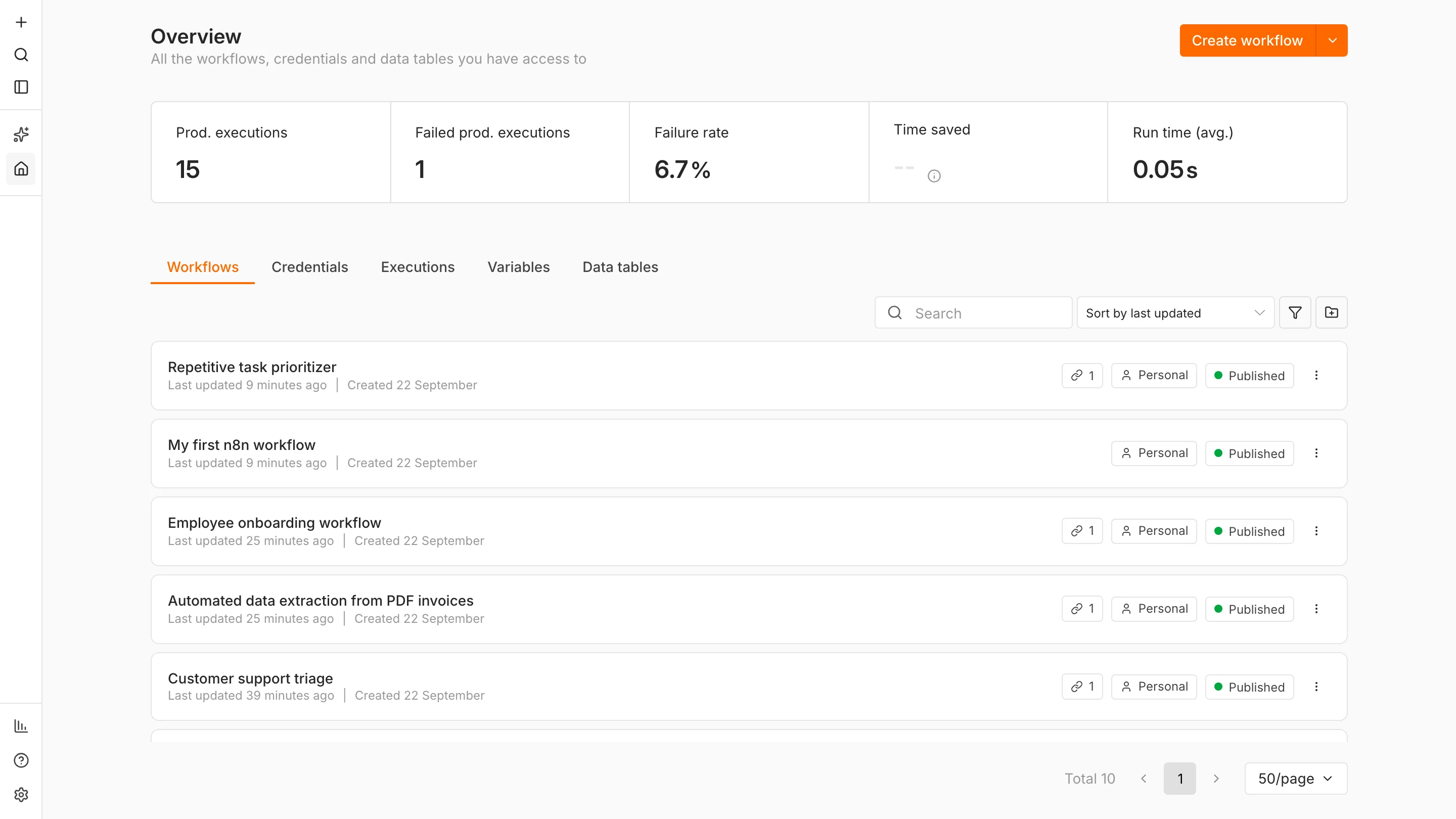
npx n8n startAfter about 25 seconds our terminal showed the address http://localhost:5678. Open it in your browser and create the owner account. It is stored on your computer, not sent to n8n. The screen you land on looks like this:
Good to know: n8n only runs while this terminal command is running. Close the window and your workflows stop. To keep it running around the clock you need a server or an always-on computer.
Build your first workflow
Our first workflow is deliberately tiny so you can see every moving part: it takes a name from the web address and answers with a greeting. Download it (JSON) and import it through the … menu, or build it yourself:
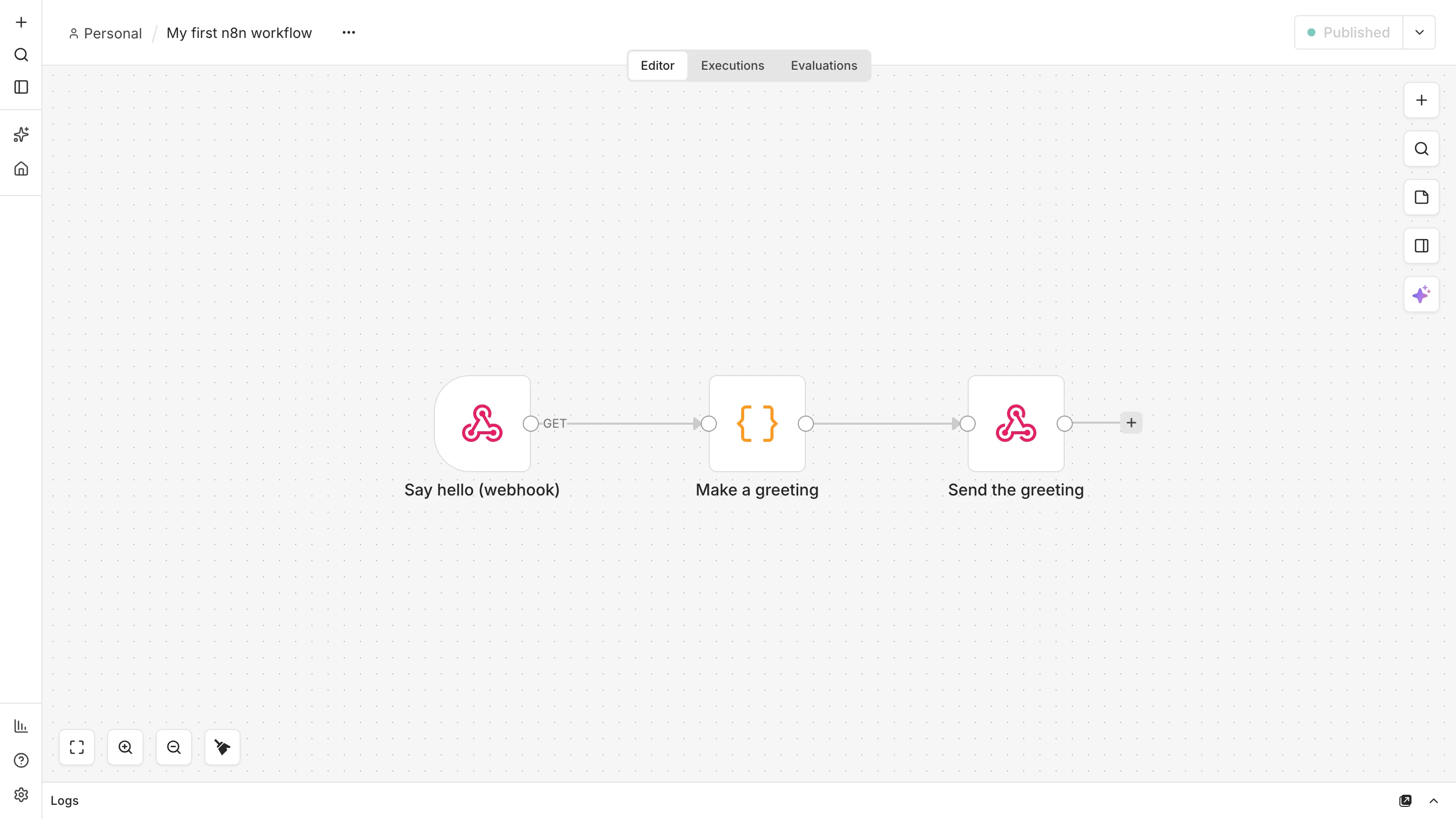
- Add a Webhook node. Set the method to GET, the path to
helloand Respond to Using ‘Respond to Webhook’ node. - Add a Code node. Paste the JavaScript below. It reads the name and builds the message.
- Add a Respond to Webhook node. Set it to respond with the JSON from the previous node.
- Publish the workflow. Use the Publish button at the top right so the live (production) address works.
const name = ($input.first().json.query.name || 'friend').toString().trim().slice(0, 40);
const hour = new Date().getHours();
const part = hour < 12 ? 'morning' : hour < 18 ? 'afternoon' : 'evening';
return [{ json: { message: `Good ${part}, ${name}! Your n8n workflow is running.`, received_at: new Date().toISOString() } }];
Test it
curl "http://localhost:5678/webhook/hello?name=Rajat"Our reply, received in 23 milliseconds:
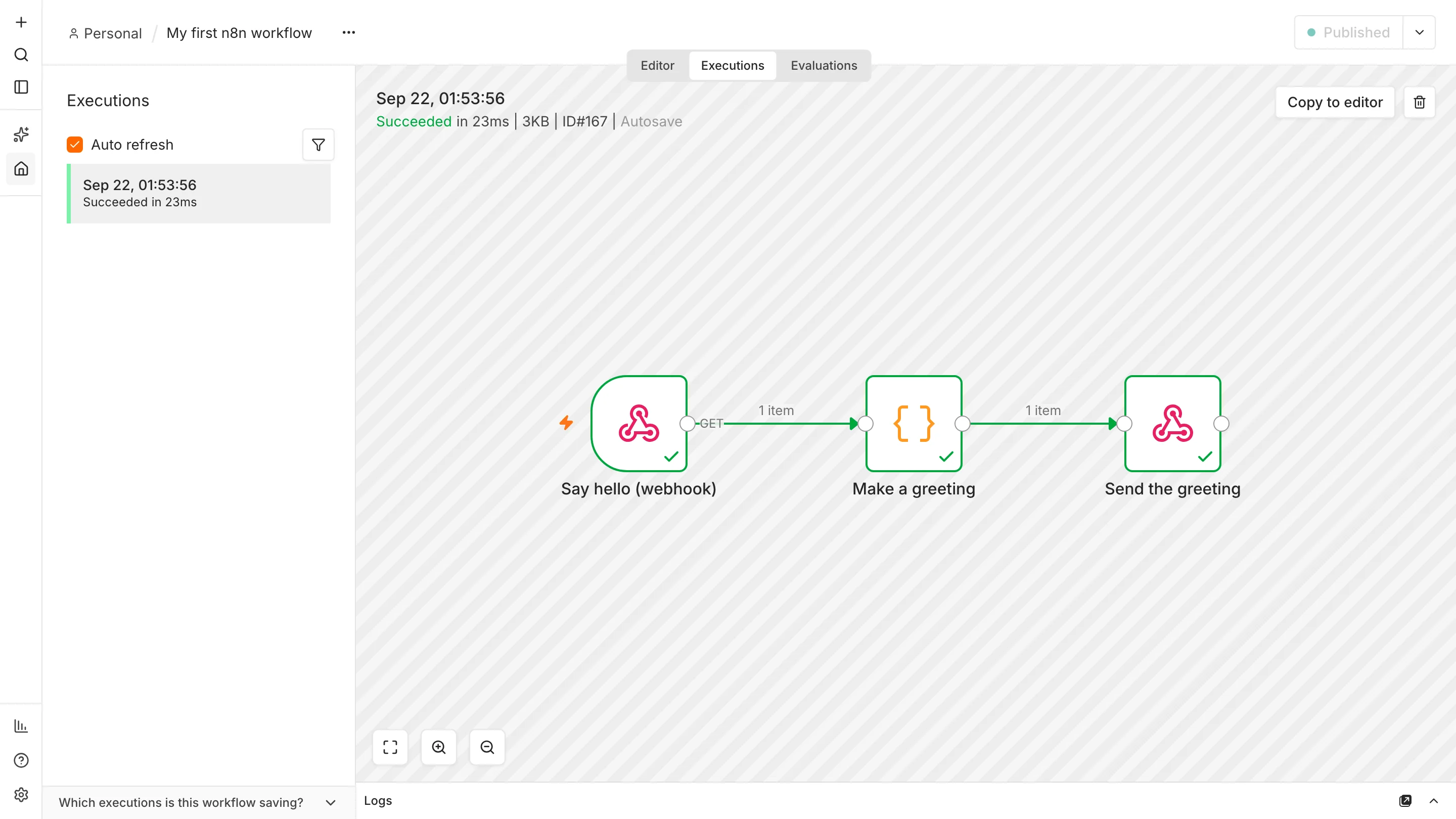
{"message":"Good morning, Rajat! Your n8n workflow is running.","received_at":"2026-09-21T19:53:56.922Z"}Open the Executions tab and you will see the run logged, with every node ticked green. When something breaks later, this is where you look first.
Test vs production address: the Webhook node shows two URLs. The test address works only while you click “Listen for test event” in the editor. The production address (/webhook/…) works once the workflow is published. Mixing them up is the most common beginner problem.
Confirm you are on the free edition
Open Settings > Usage and plan. Ours said “You’re on the Community Edition” and showed 15 published workflows out of “unlimited”. The Enter activation key and View plans buttons are optional upsells, so you can ignore them.

What does it really cost to run?
- n8n software: $0 on the Community Edition.
- Your computer or server: free on a laptop you already own; a small cloud server (a virtual private server, or VPS) is a monthly fee if you need it running 24/7.
- Connected services: email, AI models and other APIs may charge per use. Local models such as Ollama avoid that at the cost of speed.
- Your time: updates, backups and security are your job when you self-host.
Where to go next
Once the basics work, pick a project that saves real time, such as a lead follow-up system or an invoice approval workflow. Both are tested, free to download and run on the setup you just built. To back up your work, use the download option in each workflow’s menu, which saves it as a JSON file.
Frequently asked questions
Is n8n really free?
The self-hosted Community Edition is free to install and use, including for internal business automations, under n8n’s Sustainable Use License. n8n Cloud and the Business and Enterprise plans are paid.
Can I use n8n for free without coding?
Yes for most workflows: you connect nodes visually. A little JavaScript in Code nodes helps for custom logic, but many workflows do not need any.
Do I need Docker to run n8n?
No. Node.js and npm are enough for local use, which is what we tested. n8n also documents Docker for servers, which we did not test for this guide.
Can I run n8n free on a server?
Yes. The software is still free, but you pay the hosting provider for the server and are responsible for security, updates and backups.
What is the catch with free n8n?
You maintain it yourself, it stops when your computer sleeps or turns off, and some enterprise features such as SSO are paid.
Sources and further reading
- Choose how to use n8n, n8n documentation.
- Community Edition features, n8n documentation.
- Node.js downloads.
- Webhook node and Code node documentation.