Cold Email Deliverability: Check Your Setup with a Free n8n Workflow
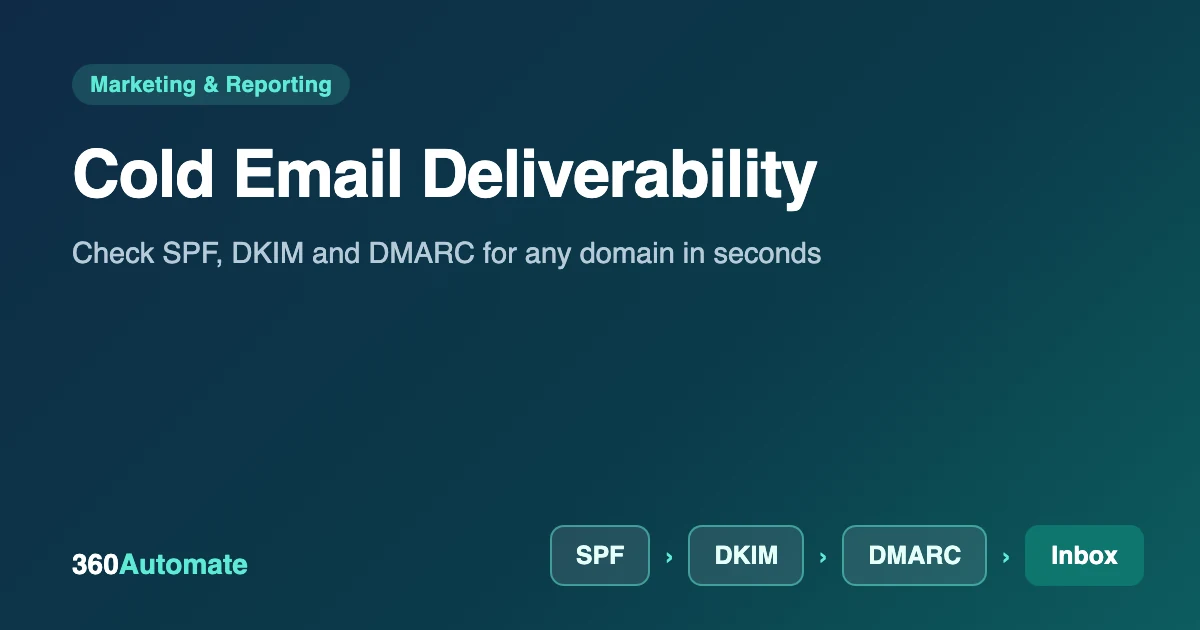
Cold email deliverability is the chance that your emails land in the recipient’s inbox instead of spam, and it depends mostly on email authentication, sender reputation, list quality and sending volume. You can’t control every factor, but you can check the technical foundation in seconds. This guide explains what matters and shows how to build a free n8n workflow that grades any domain’s SPF, DKIM, DMARC and MX records.
Key takeaways
- Authentication is the foundation. Google’s sender rules require SPF or DKIM for all senders, and SPF, DKIM and DMARC for bulk senders (5,000 or more messages a day to Gmail).
- Keep spam complaints under 0.10% and never reach 0.30%, as measured in Google Postmaster Tools.
- Daily sending limits differ widely between guides (we saw 40 to 100 per inbox), so start low and scale on evidence.
- The workflow below checks a domain in seconds and explains every warning. It cannot measure reputation or inbox placement.
What affects cold email deliverability?
| Factor | What to do |
|---|---|
| Authentication (SPF, DKIM, DMARC) | Publish all three records and keep them valid. This is the part you can verify automatically. |
| Sender reputation and complaints | Send relevant messages to a targeted list; watch Postmaster Tools; stop if complaints rise. |
| List quality | Verify addresses, remove bounces quickly and never buy lists. Hard bounces damage reputation. |
| Volume and warm-up | Start with a few emails a day per inbox and increase gradually. Avoid sudden spikes. |
| Content | Keep it short and plain. Limit links and images and avoid attachments in first emails. |
| Unsubscribe and compliance | Include a clear opt-out and your postal address, as the CAN-SPAM Act requires. |
Many vendor guides also recommend using a separate domain or subdomain for cold outreach so any reputation damage does not reach your main business email. It is a sensible precaution, not a rule.
SPF, DKIM and DMARC in plain English
| Record | What it does | Example |
|---|---|---|
| SPF | Lists the servers allowed to send mail for your domain | v=spf1 include:_spf.google.com ~all |
| DKIM | Adds a cryptographic signature that proves the message was not altered | A public key published at selector._domainkey.yourdomain.com |
| DMARC | Tells receivers what to do when SPF and DKIM fail, and where to send reports | v=DMARC1; p=none; rua=mailto:dmarc@yourdomain.com |
- SPF: publish exactly one SPF record. Two records make SPF fail. Stay within 10 DNS lookups.
- DKIM: your email provider generates the key and tells you the selector name. Publish it exactly as given.
- DMARC: start with
p=noneand a reporting address, read the reports for a few weeks, then move toquarantineand finallyreject.
Google’s email sender guidelines also require valid reverse DNS, a TLS connection and, for bulk senders, one-click unsubscribe and a From domain aligned with your SPF or DKIM domain.
Build the deliverability checker in n8n
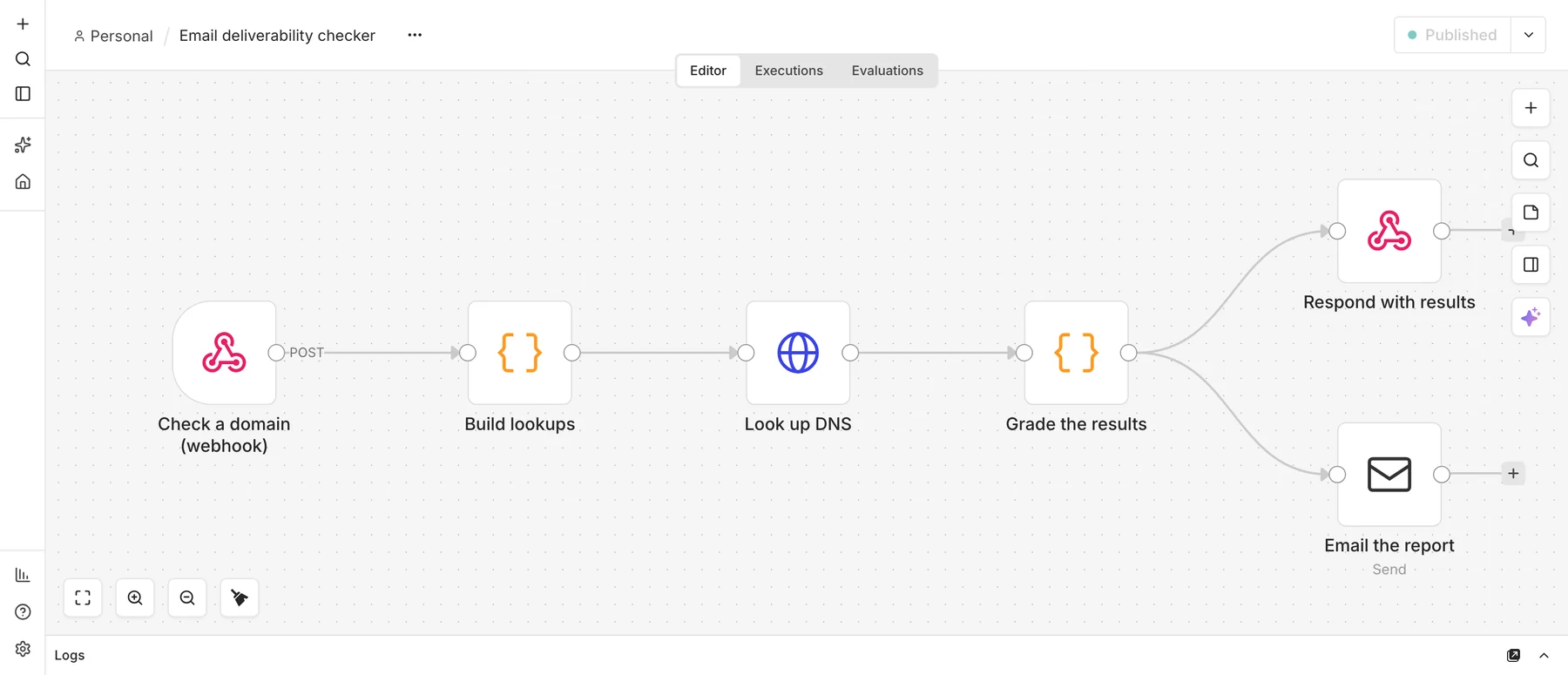
You need n8n and, optionally, an SMTP account to email the report (we used Mailpit for testing). Download the workflow (JSON) and import it.
What does it cost to run? The software is free: self-hosted n8n may be used at no charge for internal business and personal use under its Sustainable Use License. What you pay for is somewhere to run it. A schedule only fires while n8n is running, so you need a computer or server that stays on. Sending email needs an SMTP account (many providers have a free tier), and n8n Cloud is a paid alternative if you prefer not to host it yourself. The DNS lookups use Google’s free public DNS service, which needs no key but is intended for reasonable use.
Step 1: Receive a domain and build the lookups
Add a Webhook (POST, path deliverability-check, respond using the Respond to Webhook node) and a Code node that cleans the domain and creates one lookup per record: SPF at the domain, DMARC at _dmarc.domain, MX at the domain, and DKIM at selector._domainkey.domain for a list of common selectors.
const selectors = Array.isArray(body.selectors) && body.selectors.length
  ? body.selectors : ['google', 'selector1', 'selector2', 'default', 'k1', 's1'];
const lookups = [
  { kind: 'spf',   domain, name: domain,             type: 'TXT' },
  { kind: 'dmarc', domain, name: `_dmarc.${domain}`, type: 'TXT' },
  { kind: 'mx',    domain, name: domain,             type: 'MX'  },
  ...selectors.map(s => ({ kind: 'dkim', domain, selector: s,
       name: `${s}._domainkey.${domain}`, type: 'TXT' })),
];
Step 2: Look up the DNS records
Add an HTTP Request node that calls Google’s public DNS-over-HTTPS service, which returns JSON and needs no account or key (see the JSON API documentation). Set the URL to https://dns.google/resolve?name={{ encodeURIComponent($json.name) }}&type={{ $json.type }} and turn on Never error so a missing record is reported rather than crashing the run.
Step 3: Grade the results
A Code node collects the answers and applies simple rules. SPF must exist exactly once and end in -all or ~all. DMARC must exist with a policy of quarantine or reject and a reporting address. DKIM needs at least one selector with a real key, and MX records must exist so replies can arrive. Each failure costs 25 points and each warning 10.
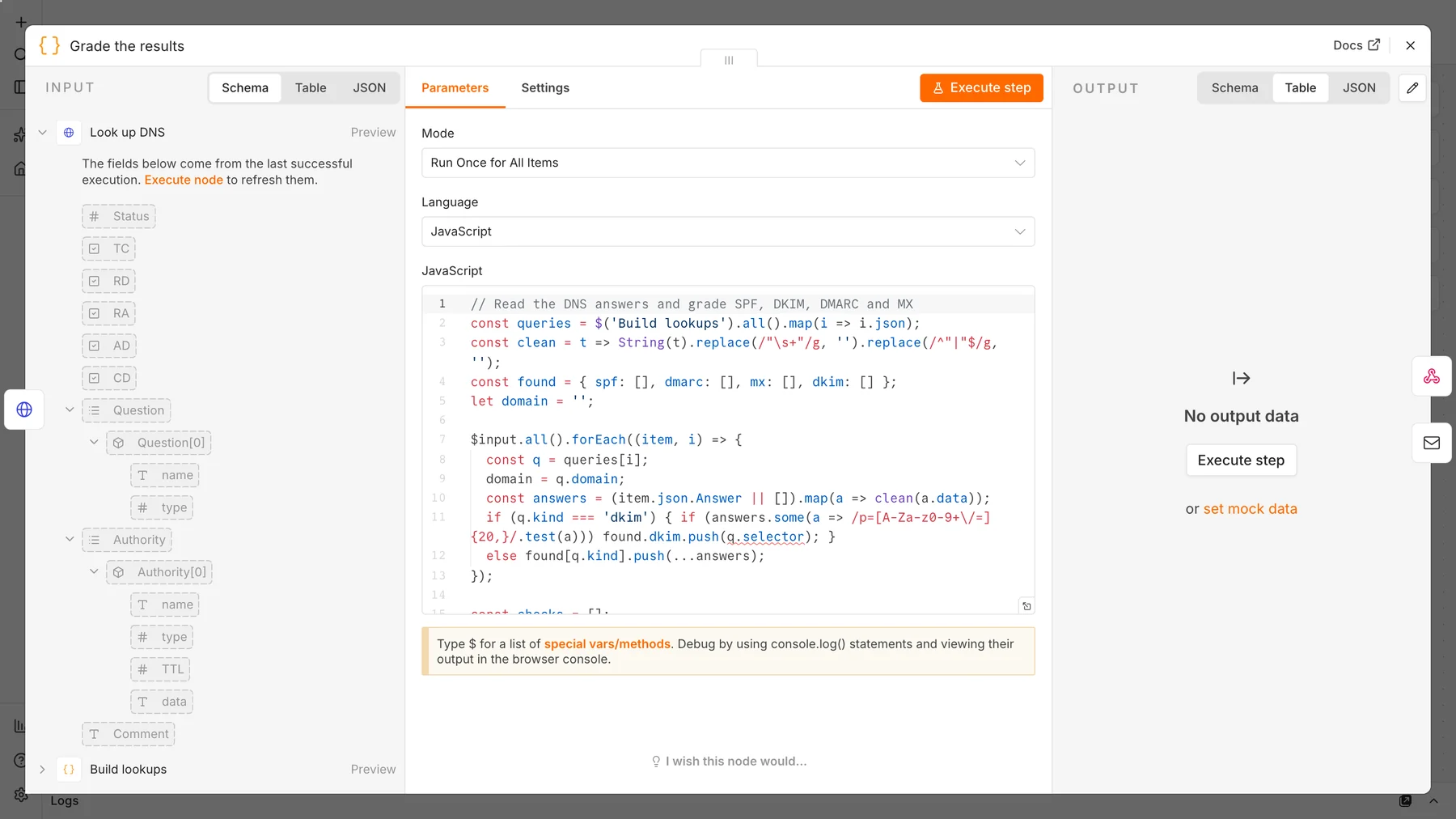
A subtle bug we fixed: our first version treated any DKIM answer containing p= as a valid key, and it wrongly passed example.com, whose DKIM record has an empty p= (a revoked key). The final code requires a real key of at least 20 characters.
Step 4: Return and email the report
Connect the grading node to a Respond to Webhook node, which returns the score and checks as JSON, and to a Send Email node that sends a readable summary.
Step 5: Test three domains
curl -X POST http://localhost:5678/webhook/deliverability-check \
-H 'Content-Type: application/json' -d '{"domain":"stripe.com"}'| Domain | Score | Result |
|---|---|---|
| stripe.com | 100 | SPF, DMARC, DKIM and MX all pass |
| example.com | 80 | SPF and DMARC (p=reject) pass; warnings for no DMARC report address and no DKIM key found |
| A domain that does not exist | 15 | SPF, DMARC and MX fail; DKIM warning |
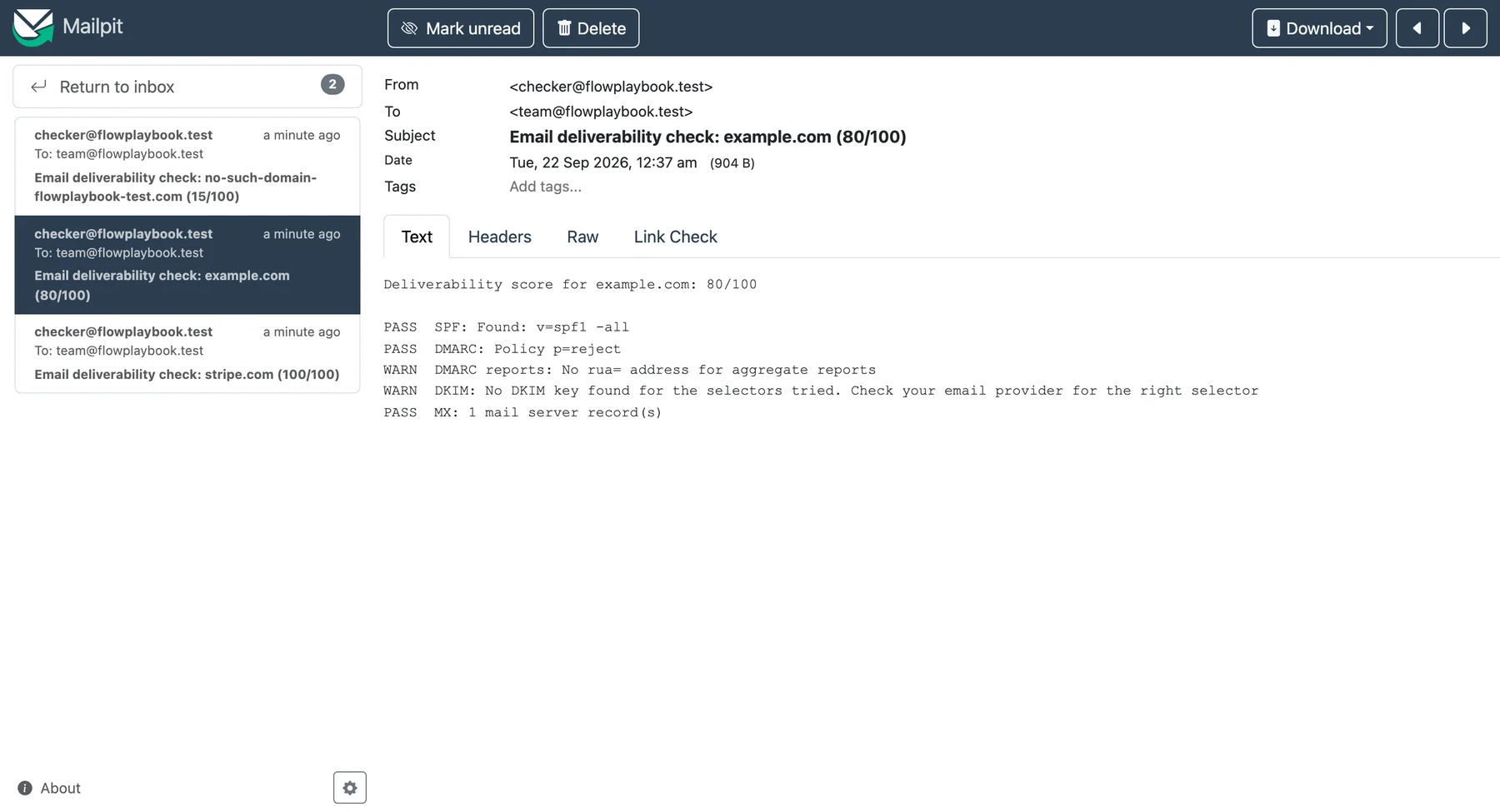
If DKIM shows a warning for your own domain, add your provider’s selector to the request, for example {"domain":"yourdomain.com","selectors":["mail"]}.
How to fix what the report finds
- Fail on SPF or MX: fix these first. Publish one SPF record that includes your sending service, and make sure MX records exist.
- DKIM warning: enable DKIM in your email provider and publish the key it gives you, then re-run with the correct selector.
- No DMARC: add
v=DMARC1; p=none; rua=mailto:you@yourdomain.comand monitor for a few weeks. - Then tighten: move DMARC to
quarantineand laterrejectonce legitimate mail passes consistently.
Sending habits that protect deliverability
- Warm up new inboxes by starting with a few emails a day and increasing slowly.
- Verify every address before sending and remove hard bounces immediately.
- Write short, plain emails to a targeted list with one clear question.
- Include your address and an easy opt-out in every message.
- Pause and investigate if replies drop or bounces and complaints rise.
- Pair outreach with a follow-up sequence that stops on reply, such as our automated lead follow-up system.
Limits: this checker reads DNS records only. It cannot see your domain reputation, blocklist status or where a specific message lands. Use Google Postmaster Tools and test sends for that.
Frequently asked questions
What is cold email deliverability?
It is how reliably your outreach emails reach the inbox instead of spam or promotions. It depends on authentication, sender reputation, list quality, volume and content.
Do I need SPF, DKIM and DMARC for cold email?
Google requires SPF or DKIM for all senders and SPF, DKIM and DMARC for bulk senders of 5,000 or more messages a day. Publishing all three is best practice even at lower volume.
How many cold emails can I send per day?
There is no universal number. Guides we reviewed range from about 40 to 100 per inbox. Start low, warm up gradually and increase only while bounces and complaints stay low.
Can n8n improve my inbox placement?
n8n can automate checks and alerts, such as this DNS grader, and enforce sending rules. Inbox placement itself depends on your reputation and content.
Sources and further reading
- Email sender guidelines, Google Workspace Admin Help.
- Google Public DNS JSON API.
- CAN-SPAM Act compliance guide, Federal Trade Commission.
- n8n HTTP Request node documentation.